
Brief the visual story
Start with a dense topic, process, or comparison and name the claims learners should remember.
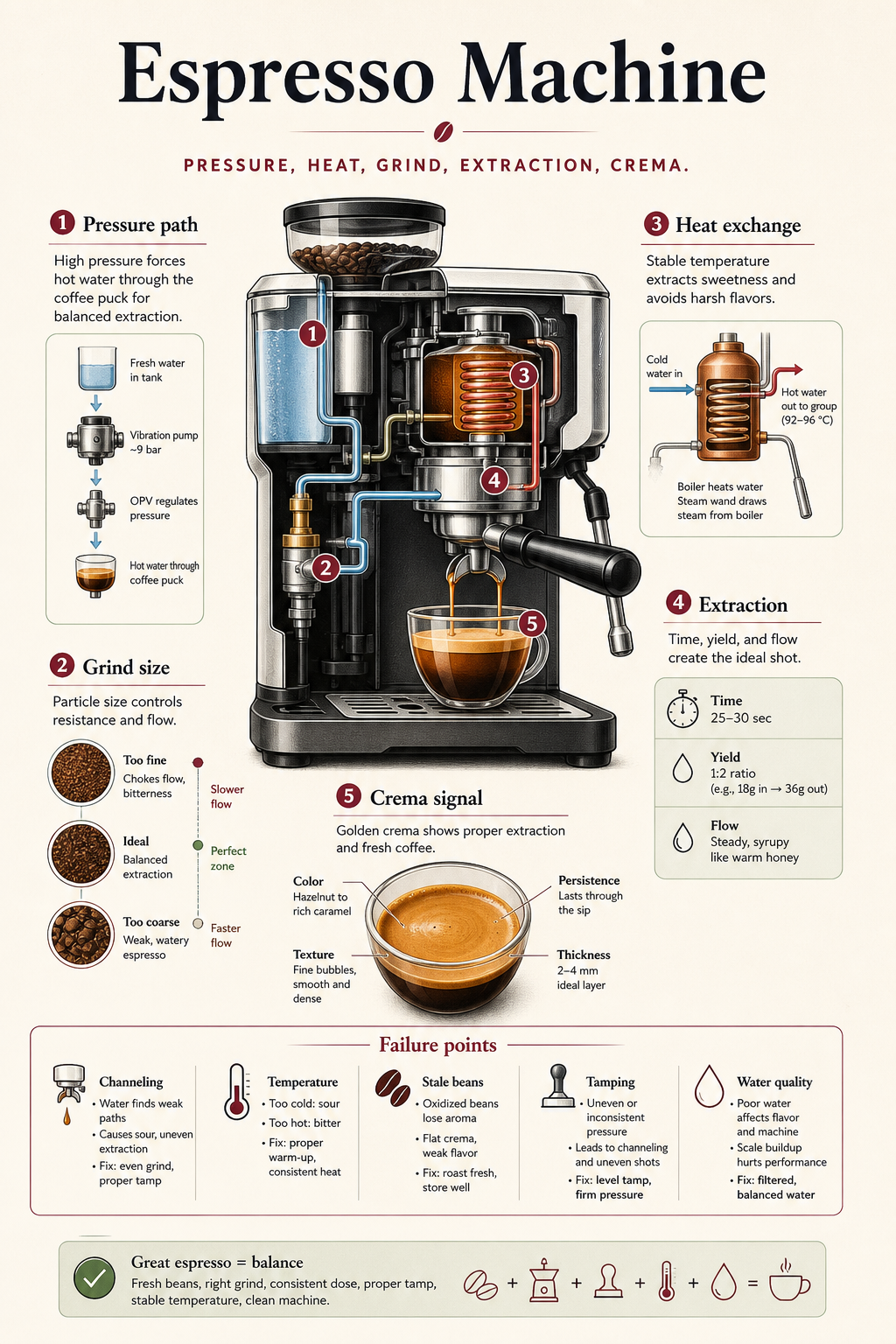
Start with a dense topic, process, or comparison and name the claims learners should remember.
Cached examples appear instantly, and the protected public generator can create a new PNG from your brief.
Save the image as a PNG or keep the same topic when opening course creation.
Turn systems, mechanisms, timelines, and tradeoffs into a visual narrative learners can scan.
Use the infographic as the first artifact before building a fuller Anayati course.
Yes. It uses Anayati public image generation with guest limits, while cached examples stay instant.
Yes. Download PNG works for cached examples and generated results.
Yes. The course handoff preserves the active infographic brief as the course topic.
Keep the visual brief and continue with the same topic in course creation.
Continue in course creation